


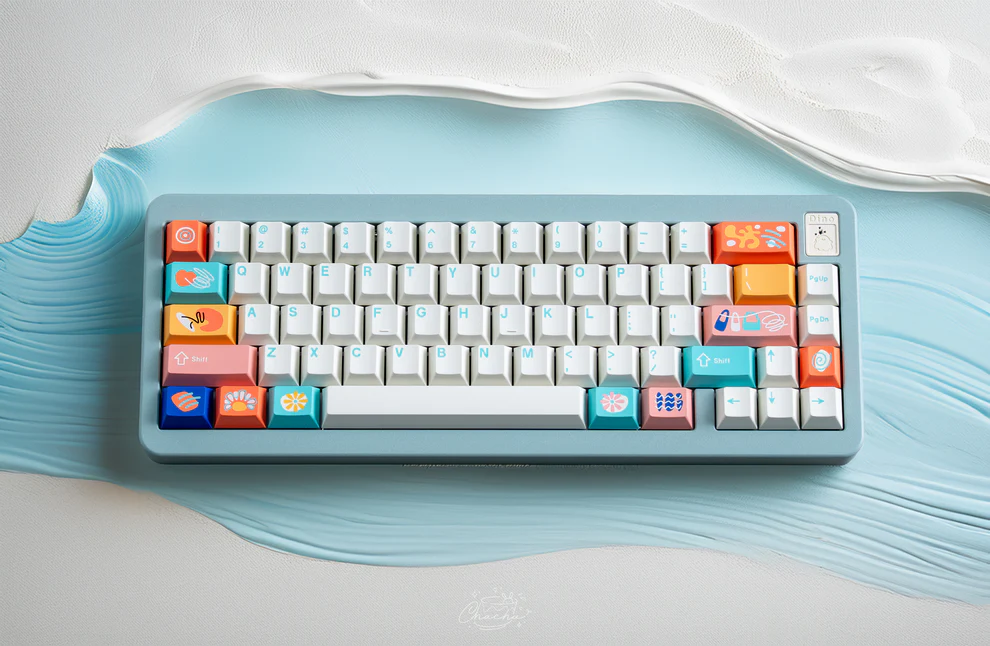
As more people work, game, and study on computers for long hours, keyboard noise has become an important—but often overlooked—factor. Whether you are sharing an office, attending online meetings, or gaming late at night, excessive typing noise can be distracting to both you and others.
Mechanical keyboards are often associated with loud keystrokes, but modern designs have changed that perception. Today, quiet keyboard switches allow users to enjoy the durability and feel of mechanical keyboards while significantly reducing sound. This guide explains how quiet keyboard switches work, how they compare to other switch types, and how to choose the right option for your setup.
What Are Quiet Keyboard Switches?
Quiet keyboard switches are mechanical switches specifically engineered to reduce typing noise. Unlike clicky switches that produce an audible click, quiet switches focus on minimizing sound caused by key impact and release. This is typically achieved through internal dampening components such as silicone pads, rubber inserts, or redesigned stems.
It is important to note that “quiet” does not mean completely silent. All mechanical keyboards produce some sound, but quiet keyboard switches can reduce overall noise by a noticeable margin compared to traditional tactile or clicky switches. Many manufacturers estimate noise reduction in the range of 30–50%, depending on typing force and keyboard construction.
Because of this balance between performance and sound control, quiet keyboard switches are commonly used in offices, shared living spaces, and professional environments where reduced noise is preferred.
How Do Quiet Switches Differ from Other Mechanical Switches?
Mechanical keyboard switches are generally divided into three main categories: clicky, tactile, and linear. Quiet keyboard switches typically fall into the linear or tactile categories but incorporate additional sound-dampening features.
Clicky switches include a click mechanism that creates both tactile feedback and audible noise. Standard tactile switches remove the click sound but still produce noticeable noise when bottoming out. Linear switches are smoother and quieter, but without dampening, they can still be louder than expected.
Quiet keyboard switches differ by addressing the primary source of noise: bottom-out and return impact. According to keyboard industry resources such as Kinetic Labs and Keychron, most keyboard noise does not come from the switch type itself, but from the key striking the housing. Quiet switches are designed to absorb that impact internally.
| Switch Type | Noise Level | Feedback | Common Use Case |
| Clicky | High | Strong tactile + click | Typing enthusiasts |
| Standard Tactile | Medium | Tactile bump | General typing |
| Quiet Linear | Low | Smooth | Gaming, shared spaces |
| Quiet Tactile | Low–Medium | Soft tactile bump | Office work |
What Are the Top Types of Quiet Keyboard Switches?
Quiet keyboard switches come in several variations, each suited to different preferences and usage scenarios. Understanding these types can help narrow down the best option.
Quiet Linear Switches
Quiet linear switches provide a smooth keystroke with no tactile bump. Their internal dampeners reduce noise on both press and release, making them popular among gamers and users who value consistency and speed.
Quiet Tactile Switches
Quiet tactile switches include a subtle tactile bump while still controlling noise levels. Many office professionals prefer this option because it offers feedback without the sharp sound associated with clicky switches.
Factory-Lubed Silent Switches
Some quiet switches come pre-lubed from the factory. This reduces friction and noise out of the box and appeals to users who want a quieter experience without modifying switches themselves.
Low-Profile Quiet Switches
Low-profile quiet keyboard switches feature shorter travel distances, which naturally limits sound output. These switches are often found in slim or portable keyboards designed for modern workstations.
How to Choose the Right Quiet Switch for Your Needs?
Selecting the right quiet keyboard switches depends on how and where you use your keyboard. There is no single “best” option for everyone, but several practical factors can guide your decision.
Usage Environment
If you work in an office or shared space, quiet tactile or silent linear switches are often preferred. For gaming setups or home use, quiet linear switches may offer a better balance of speed and noise control.
Typing Feel Preference
Some users prefer a smooth keystroke, while others rely on tactile feedback to reduce typing errors. Quiet keyboard switches are available in both styles, so feel should be prioritized alongside sound level.
Actuation Force
Lighter switches may help reduce finger strain during long sessions, while slightly heavier switches can prevent accidental key presses. Ergonomic studies referenced by keyboard manufacturers suggest moderate actuation forces are often most comfortable for extended use.
Keyboard Compatibility
Not all keyboards support switch replacement. Before purchasing quiet keyboard switches, confirm whether your keyboard is hot-swappable or requires soldering.
For a detailed breakdown of popular silent options and real-world use cases, you can explore this in-depth guide on quiet keyboard switches.
Are Quiet Switches Better for Gaming or Typing?
Quiet keyboard switches can work well for both gaming and typing, but the experience varies depending on switch design and personal habits.
Gamers often prefer quiet linear switches because they offer smooth, uninterrupted keystrokes and reduced noise during long sessions or voice chats. Reduced sound can also improve focus, especially in competitive environments.
For typing and office work, quiet tactile switches are commonly favored. The tactile feedback helps confirm actuation without producing excessive noise, which is especially useful in shared workspaces.
That said, users accustomed to clicky switches may need an adjustment period. Quiet switches trade audible feedback for discretion, not performance.
Conclusion
Quiet keyboard switches provide a practical solution for users who want the benefits of mechanical keyboards without unnecessary noise. By reducing bottom-out and return sounds, they create a more comfortable experience for offices, shared spaces, and home setups.
Rather than being universally superior, quiet keyboard switches are most effective when chosen based on environment, typing style, and keyboard compatibility. With thoughtful selection, they can significantly improve comfort, focus, and long-term usability.
FAQs
Can quiet keyboard switches reduce typing fatigue?
Quiet keyboard switches may help reduce fatigue by offering smoother keystrokes and softer impact. While posture and technique matter most, many users report improved comfort during long typing sessions.
Are quiet switches compatible with all keycaps and keyboards?
Most quiet keyboard switches use standard MX-style stems, making them compatible with most keycaps. However, keyboard compatibility depends on whether the board supports hot-swappable or soldered switches.
Do quiet switches affect the overall typing speed or performance?
Quiet switches do not inherently reduce typing speed or performance. In some cases, reduced noise can improve concentration, which may positively influence accuracy and efficiency over time.