

Students often develop a distinct way of writing over time. Recognizing these established writing patterns is a solid first step in spotting unusual submissions. It’s about knowing a student’s typical voice and style.
Analyze Student’s Previous Work
Comparing a current assignment to a student’s past work can reveal a lot. Look at their earlier papers, essays, or even class notes. What kind of vocabulary do they usually use? How do they structure their sentences? A significant shift in these areas might signal that the work isn’t entirely their own. This comparison helps establish a baseline for their typical writing. It’s a simple yet effective method for spotting differences.
Identify Deviations in Style and Voice
Every writer has a unique style and voice. This includes their tone, word choice, and even common grammatical quirks. When a student’s submission suddenly sounds very different – perhaps more formal, more complex, or just plain off – it’s worth investigating. Does the writing sound like the student you know? Or does it feel like a stranger wrote it? This style analysis is key.
Spot Uncharacteristic Fluency or Errors
Consider the typical errors a student makes. Do they often struggle with comma splices? Do they sometimes misspell certain words? If a paper that normally has a few minor errors suddenly appears flawless, it might be a red flag. Conversely, if a student who usually writes with ease suddenly produces text filled with awkward phrasing or uncharacteristic mistakes, that too can be suspicious. The absence of their usual writing patterns, whether good or bad, is telling.
Scrutinizing Source Integrity
When students submit work, checking the sources they cite is a key step. It’s not just about making sure they have sources, but that those sources are real and actually say what the student claims they do. This part of checking can catch a lot of issues, especially with how some tools can make things up.
Verify Existence of Cited Sources
It sounds simple, but sometimes sources just don’t exist. AI tools, in particular, can be good at inventing citations that look real but lead nowhere. A quick search for the title, author, or DOI can confirm if a source is legitimate. If a source can’t be found through standard academic databases or search engines, it’s a big red flag. This verification step is important for maintaining academic honesty.
Confirm Source Content Accuracy
Even if a source exists, does it actually support the student’s claims? Sometimes students might cite a real source but misrepresent what it says. This can happen accidentally, or it could be an attempt to make weak arguments seem stronger. Reading the cited section of the source is the best way to confirm accuracy. You need to make sure the source content aligns with how it’s presented in the student’s work.
Detect Fabricated Citations
This is where things get tricky. Some AI generators can create entirely fake sources that sound plausible. They might invent journal articles, books, or even websites. When you can’t find any trace of a cited source after a thorough search, it’s highly likely the citation was fabricated. This is a serious issue that needs to be addressed directly. Checking the source integrity is more than just a formality; it’s about ensuring the foundation of the student’s argument is solid and truthful.
Examining Textual Nuances
Sometimes, the way words are put together can give a clue that something isn’t quite right. It’s not always about outright copying, but more about subtle shifts in how a student expresses ideas.
Look for Unusual Phrasing
Pay attention to sentences that sound a bit off. Maybe the word choice is strange, or the way a thought is expressed feels unnatural. This kind of unusual phrasing can be a red flag. It’s like hearing a familiar song played slightly out of tune; you notice it, even if you can’t immediately pinpoint why.
Identify Overly Complex Sentence Structures
While some students naturally write complex sentences, a sudden, consistent pattern of overly complicated structures, especially if they don’t quite hold together logically, might be a sign. AI can sometimes string together grammatically correct clauses in ways that a human writer might not typically choose. It’s worth looking at the textual nuances to see if the complexity feels earned or forced.
Recognize Odd Paraphrasing
When students paraphrase, they’re supposed to put ideas into their own words. But sometimes, especially if they’re using tools to help, the paraphrasing can come out sounding weird. It might be too close to the original source, or the sentence structure gets twisted in a way that doesn’t make much sense. This odd paraphrasing is a textual nuance that can point to outside help.
Assessing Content Depth and Relevance
Evaluate Depth of Analysis
Sometimes, AI-generated text can feel a bit shallow. It might present information clearly, but it often misses the deeper connections or original insights that a human writer would bring. When reviewing student work, look for a genuine exploration of ideas, not just a summary of facts. Does the student go beyond surface-level explanations to really dig into the ‘why’ and ‘how’? This kind of depth is a good indicator that the student has engaged thoughtfully with the material. Assessing content depth is key.
Check for Current Event Awareness
Many AI models have a knowledge cutoff date. This means they might not be aware of very recent events or developments. If a paper discusses topics that have seen significant changes or news in the last few months, and the writing doesn’t reflect this, it could be a red flag. A student’s work should ideally show awareness of the current landscape related to their topic, especially if it’s a field that changes rapidly. This helps gauge the relevance of the information presented.
Detect Inaccurate Data or Statistics
AI can sometimes generate incorrect data or statistics. This happens when the model tries to fill in gaps or predict information it doesn’t have. If you notice numbers or facts that seem off, or that contradict reliable sources, it’s worth investigating. Double-checking specific data points can reveal if the content is fabricated or simply inaccurate. This is a straightforward way to assess the reliability of the information provided.
Utilizing Document History Features
Track Document Revisions
Most word processing programs keep a record of changes made to a document. This document history feature can be a goldmine for spotting unusual activity. It shows every edit, addition, and deletion. Looking at the revision history can reveal if large chunks of text were added suddenly or if the writing process was unusually smooth. This is especially helpful if a student usually makes many small edits over time. A sudden influx of text, or a complete rewrite without intermediate steps, might warrant a closer look. It’s a way to see the actual writing process unfold, not just the final product.
Observe Writing Process Progression
When students compose their work, the progression of their writing is often visible in the document’s history. A student who is genuinely writing will typically show a gradual development of ideas, with edits and revisions happening organically. Conversely, a document history that shows a large block of text appearing all at once, or very few edits after a substantial amount of content is present, could be a red flag. This observation helps to distinguish between a student’s genuine effort and potentially copied or AI-generated content that might be pasted in without the typical back-and-forth of human composition. The document history provides a timeline of this progression.
Identify Wholesale Content Insertion
One of the most telling signs within a document’s history is the wholesale insertion of content. This means large sections of text appearing without the usual incremental changes that characterize a student’s own writing process. If the revision log shows a massive block of text being added in one go, especially if it doesn’t align with the student’s typical writing style or complexity, it suggests the content might not be original. This method of checking the document history is a practical way to identify if a student has simply copied and pasted material from another source without engaging in the actual writing and revision process. It’s a direct look at how the text came to be.
Engaging with the Student Directly
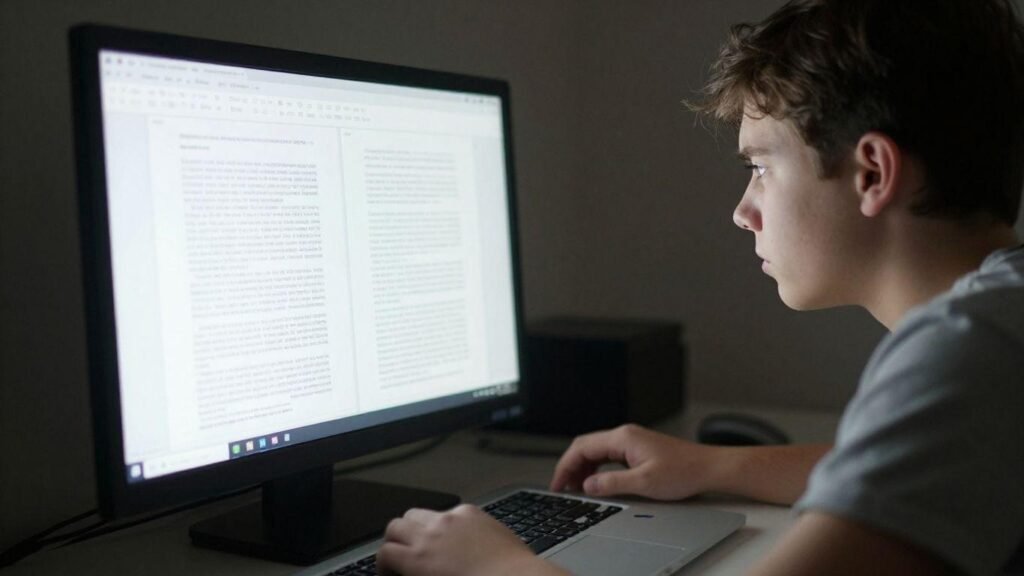
Sometimes, the best way to spot differences in student work isn’t through software, but by talking to the student. This direct approach can reveal a lot about their actual understanding and writing process.
Quiz on Specific Content Details
Ask the student to explain certain parts of their work. This could involve clarifying a complex idea, defining a specific term they used, or elaborating on a point they made. A student who genuinely wrote the paper should be able to discuss its contents confidently. If they struggle to recall details or explain their reasoning, it might suggest the work isn’t entirely their own. This method helps gauge their familiarity with the material they’ve submitted.
Inquire About Argumentation Rationale
Dig into why they structured their arguments in a particular way. Ask them to walk you through their thought process for developing a specific claim or using a certain piece of evidence. Understanding their logical flow and the choices they made in building their case is key. If the student can’t articulate the rationale behind their arguments, it raises questions about the origin of the text. This direct engagement is a good way to check for authentic intellectual engagement.
Discuss Vocabulary Choices
Focus on the specific words and phrases the student has chosen. Ask them why they selected particular vocabulary, especially if it seems uncharacteristic or particularly sophisticated. Discussing word choice can highlight whether the language feels natural to the student or if it seems out of place. This conversation can reveal if the student truly owns the language used in their submission or if it was generated by another source. It’s a simple yet effective way to assess their connection to the text.
Employing Text Comparison Tools
When trying to spot differences in student work, especially before submission, using text comparison tools can be a real help. These tools are designed to look at two pieces of text and highlight where they are the same or different. It’s not just about finding direct copy-pasting; these tools can also help identify if sections of text have been slightly altered or rearranged. Students who need to compare text files online can use Chatim’s free Text Comparison Tool to paste or upload original and changed text, choose character, word, or line comparison, and review highlighted differences before submitting.
One common way to use these tools is to compare a student’s current submission against their previous work. This helps to see if there’s a sudden shift in writing style or vocabulary that doesn’t match what they’ve produced before. You can also use services that allow you to compare text files online. This is handy for checking if a student’s work matches something found elsewhere on the internet, even if it’s not a direct quote. The goal is to find inconsistencies that suggest the work might not be entirely the student’s own.
When you get a report from a text comparison tool, it usually shows a percentage of similarity. It’s important to remember that a high similarity score doesn’t automatically mean plagiarism. Sometimes, common phrases or technical terms will naturally show up as similar. The real value comes from looking at the highlighted sections and deciding if they represent an issue. You need to interpret the similarity report carefully, looking for patterns that seem out of place for the student’s typical writing.
Wrapping Up
So, when it comes to checking student work, relying just on fancy software isn’t the best plan. Those tools can mess up a lot, flagging good work as bad or missing the real issues. Instead, it’s smarter to look at the writing itself. Does it sound like the student? Are the sources real? Can they talk about what they wrote? Using older methods, like comparing to past work and asking questions, still works well. Plus, tools like Google Docs’ history can show you how a paper was actually put together. It’s about using a mix of approaches, not just one quick fix, to make sure the work submitted is truly the student’s own.