


Video has become one of the most useful ways for businesses to explain ideas online. A short clip can introduce a product, show how a feature works, promote an offer or make a training message easier to understand.
The problem is that video often takes more time than teams expect.
A simple clip may need images, a script, motion direction, audio, editing, review and several changes before it is ready to publish. For large creative departments, that process may be manageable. For small teams, agencies, ecommerce brands and SaaS companies, it can slow down content production.
AI video tools are starting to change that workflow. They are helping teams move from ideas and static assets to video drafts faster. The best tools are not only creating clips from text prompts. They are also using images, audio, references and editing instructions to give teams more control.
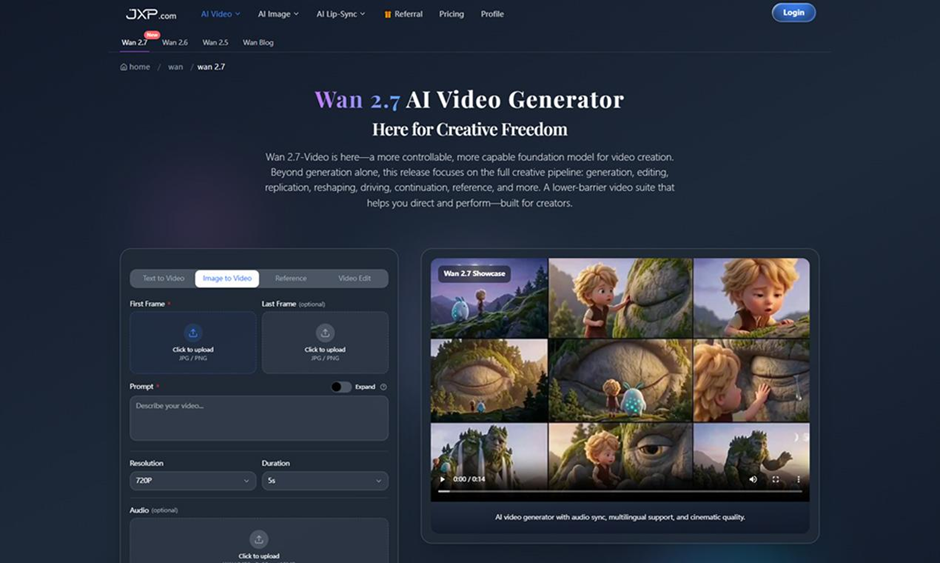
One example is Wan 2.7, an AI video generator built for text-to-video, image-to-video, reference video and editing workflows. It supports first and last frame input, optional audio, visual references and instruction-based editing, making it useful for teams that need faster video without losing creative direction.
Why Teams Need Faster Video Workflows
Digital content now moves quickly. A product update may need a short demo. A social campaign may need several versions before one performs well. A training team may need a quick visual explanation. A founder may need a simple product story for a landing page or investor update.
Traditional video production is still valuable, especially for polished campaigns. But not every video needs a full production cycle. Many teams simply need an early draft that helps them test an idea.
That is where AI video becomes useful.
Instead of waiting until every creative detail is complete, a team can start with a product image, a written prompt, a reference frame or an audio file. The first draft can then be reviewed, improved and turned into a stronger version.
This makes video feel less like a rare project and more like a normal part of the content pipeline.
Moving From Static Assets to Motion
Most teams already have useful material. They have product photos, screenshots, campaign copy, brand images, lesson notes, customer explainers and short audio clips. The difficult part is turning those materials into video.
Wan 2.7 supports image-to-video and reference video workflows, which helps bridge that gap. A product photo can become a short motion clip. A written concept can become a visual draft. A reference image can guide atmosphere, framing and consistency.
This is important because many people can describe an idea before they can edit a video. A marketer may know the tone of a campaign. A teacher may know the lesson structure. A product manager may know the customer problem. An AI video generator can turn that direction into something the team can watch and discuss.
The first output does not have to be final. Its purpose is to make the idea visible.
Better Control With First and Last Frames
One useful feature in Wan 2.7 is first and last frame input. This gives users more control over how a video begins and where it ends.
That can be valuable for product demos, explainers and social posts. A brand may want the product to appear clearly at the start and finish. A SaaS team may want a clip to move from a problem screen to a solution screen. An educator may want a video to show a clear before-and-after process.
Start and end frame control helps reduce randomness. It gives the video a clearer structure and makes the result easier to review.
For teams working under deadline, that control can save time. It is easier to refine a draft when the video already begins and ends in the right place.
Audio Makes Short Video More Complete
Video is not only visual. Sound often decides whether a short clip feels finished.
Wan 2.7 supports optional audio input, including WAV and MP3 files between 2 and 30 seconds. That can help teams create videos that follow a voiceover, match a short music cue or support a simple spoken message.
For example, a training team may use narration to explain a process. A marketing team may use music to shape the rhythm of a product teaser. A creator may use a short voice clip to guide timing and mood.
Audio also requires review. Teams should use approved scripts, licensed music and appropriate voice material. Faster production should still include careful checking before publication.
Editing Without Starting Over
Another practical part of Wan 2.7 is instruction-based video editing.
In real content work, the first draft is rarely perfect. A team may want to adjust movement, change the mood, improve the pacing or refine a specific section of the clip. Starting over each time can waste time.
Instruction-based editing gives teams a more flexible way to improve a draft. Instead of rebuilding everything, users can guide the tool toward targeted changes.
This is especially useful for agencies, studios and marketing teams. Client feedback often involves small but important changes. A clip may need a cleaner product focus, a different visual tone or a smoother transition. A workflow that supports refinement makes AI video more useful for real projects.
Where Wan 2.7 Fits Best
Wan 2.7 can support several common content needs.
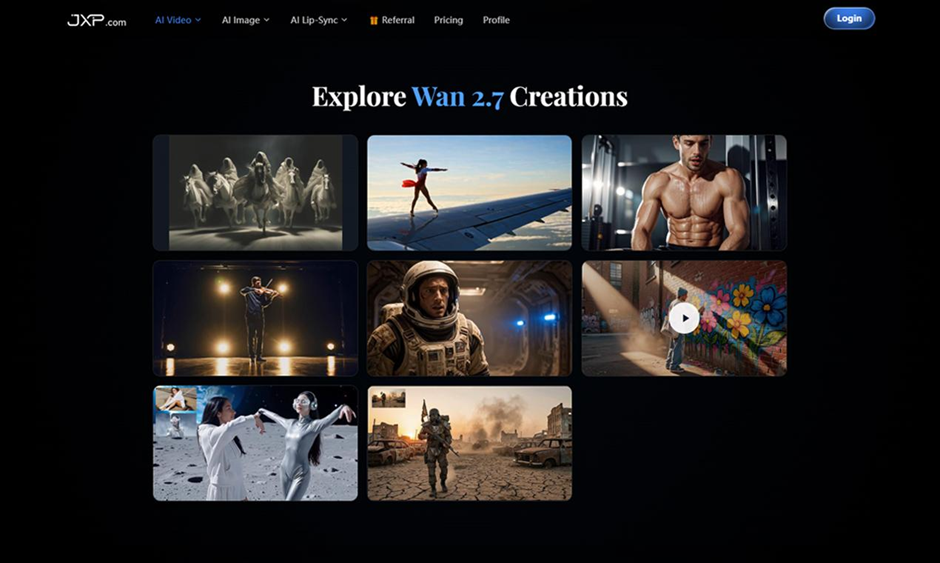
Social media teams can create short clips for content calendars and campaign testing. Growth marketers can test ad creatives, landing page videos and promotional clips. SaaS teams can create feature highlights, guided walkthroughs and product education videos. Educators can turn scripts and lessons into visual material. Ecommerce brands can create product demos and lifestyle-style clips from existing images.
These use cases share the same need: teams want more video, but they also need control over quality, consistency and message clarity.
That is where text to video AI becomes more practical. It helps teams move from an idea to a draft without waiting for a long creative cycle.
A Simple Workflow for Better Results
Teams can improve results by using a clear process:
- Define the purpose of the video.
- Choose the audience and platform.
- Upload approved images, audio or references.
- Use first and last frames when the video needs structure.
- Write a prompt that explains motion, style, pacing and tone.
- Generate a short draft first.
- Review the output for accuracy, brand fit and audio timing.
- Refine the strongest version before publishing.
This keeps AI video focused on communication, not just output.
Responsible Use Still Matters
AI video should always be reviewed before it goes public.
Teams should avoid copyrighted material unless they have permission. They should also check that videos do not mislead viewers or make inaccurate claims. This is especially important for advertising, training, product communication and customer-facing content.
The Wan 2.7 page notes that AI outputs may be inaccurate, incomplete or unsuitable for a user’s intended purpose, and that users are responsible for reviewing results and complying with applicable laws.
That is a practical reminder. Faster video creation should not remove human judgment.
The Bigger Shift in AI Video
AI video is becoming more useful because it is becoming more controllable.
Tools like Wan 2.7 show how video generation is moving beyond simple prompts. With image references, first and last frame input, audio support and editing instructions, teams can build a workflow that feels closer to real content production.
For modern teams, the main benefit is not simply creating more clips. It is reaching a useful first draft faster, testing more ideas and improving the strongest version without wasting time.
As video becomes more important across marketing, education, ecommerce and product communication, that kind of workflow may become a regular part of digital content production.