


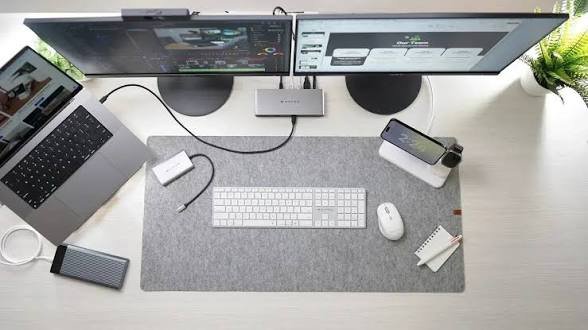
A modern productivity workspace should make it easier to concentrate, stay organized, and complete tasks efficiently. While powerful computers and software often receive the most attention, the tools used for everyday input and document management can have just as much influence on the work experience. A thoughtfully chosen keyboard, scanner, monitor, and desk layout can create an environment that feels cleaner, more comfortable, and better suited to sustained focus.
For experienced touch typists, a blank keyboard can become a distinctive part of a streamlined workspace. Without printed letters, numbers, or symbols on the keycaps, the keyboard offers a minimalist appearance that complements contemporary offices and uncluttered desk setups. It also encourages users to rely on muscle memory rather than repeatedly looking down at their hands while typing.
Blank keycaps are not simply a visual choice. For professionals who already type confidently, removing the printed legends can reinforce familiar movement patterns and help keep attention on the screen. Writers, developers, editors, analysts, and other professionals who spend much of the day working with text may appreciate the combination of simplicity, consistency, and focus that this type of keyboard provides.
The Appeal of Clean Design and Distraction-Free Typing
Visual clutter can make a workspace feel busier than it needs to be. Stacks of paper, unnecessary accessories, tangled cables, and oversized equipment may compete for attention throughout the day. A clean desk design reduces those distractions by giving each tool a defined purpose and location.
A keyboard with blank keycaps supports this design philosophy through its understated appearance. Without numerous labels across the keys, the keyboard creates a uniform surface that can blend naturally into a minimalist setup. This may be particularly appealing to professionals who prefer compact technology, neutral design elements, and workspaces built around functionality.
Distraction-free typing also involves maintaining a smooth workflow. Looking down to find individual keys can interrupt the connection between a user’s thoughts and the content appearing on the screen. Touch typists who use a blank layout can remain focused on writing, editing, coding, or data entry without relying on visual prompts.
The physical layout of the keyboard should also support comfort. Compact designs can reduce the distance between the keyboard and mouse, helping users avoid unnecessary reaching. A smaller footprint also leaves more space for notebooks, tablets, scanning equipment, or other essential desk tools. When the keyboard, mouse, and monitor are positioned appropriately, professionals can create a balanced workstation that supports both concentration and comfortable movement.
A blank layout may take time to learn for users who are still developing touch-typing skills. However, experienced typists may find that it provides a practical way to reinforce keyboard familiarity while maintaining a clean visual environment.
Using a Flatbed Scanner for Photos, Documents, and Delicate Materials
Reducing paper clutter is another important part of creating a modern productivity workspace. Printed photographs, signed forms, receipts, certificates, illustrations, and other physical records can quickly fill drawers and folders. Digitizing these materials makes them easier to organize, back up, retrieve, and share.
A flatbed scanner is well suited for materials that need to remain stationary during scanning. Users can place photographs, fragile documents, book pages, identification cards, or irregularly shaped items directly on the scanning surface. Because the material does not need to pass through rollers, a flatbed model can be a practical choice for older photos and delicate records that require careful handling.
Different scanning technologies can serve complementary purposes within the same workspace. While flatbed models are useful for sensitive and unusually shaped materials, an automatic document feeder scanner can process stacks of standard-sized pages with less manual effort. This makes feeder-equipped scanners useful for invoices, contracts, reports, applications, and other multi-page documents.
Combining these tools allows professionals to choose the appropriate scanning method for each type of material. Delicate photographs can be preserved carefully, while larger batches of business paperwork can be processed more efficiently.
A productive workspace is not defined by the number of devices it contains, but by how well those devices support daily tasks. A blank keyboard can encourage focused typing and reinforce a clean desk aesthetic, while versatile scanning solutions help convert physical records into organized digital files. Together, these tools can support a workspace that feels less cluttered, more intentional, and better prepared for modern professional demands.